
Live Preview
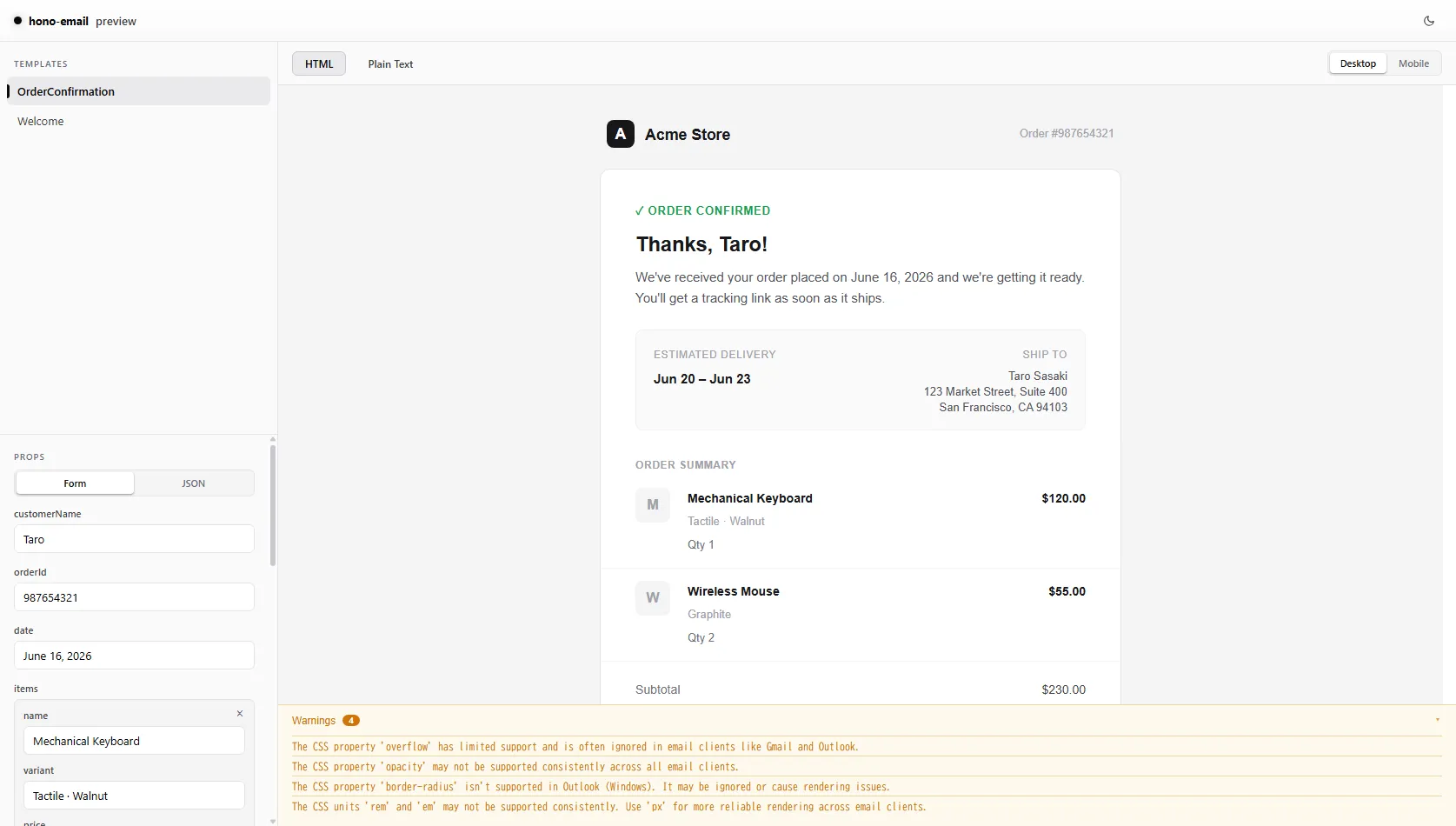
@hono-email/preview provides a live development server and CLI to preview your email templates in a web browser with real-time interactive props editing.
Installation
Section titled “Installation”Install the preview package as a development dependency.
npm i -D @hono-email/previewyarn add -D @hono-email/previewpnpm add -D @hono-email/previewbun i -D @hono-email/previewRunning the server
Section titled “Running the server”Start the preview server with the hono-email CLI’s preview command:
npx hono-email preview --dir ./emailsWith Bun:
bunx hono-email preview --dir ./emailsOptions
Section titled “Options”| Option | Description |
|---|---|
-d, --dir <path> |
The directory to search for email templates recursively. Defaults to ./emails. |
-p, --port <port> |
The port to run the server on. Defaults to 3000. |
Interactive props schema
Section titled “Interactive props schema”To enable structured props editing in the preview UI, export a previewProps configuration object alongside your default-exported email template component.
import type { PreviewPropsConfig } from '@hono-email/preview'import { Html, Body, Container, Heading, Text } from 'hono-email'
export const previewProps = {  name: { type: 'string', default: 'Taro' },  appName: { type: 'string', default: 'Acme' },  trialDays: { type: 'number', default: 14 },} satisfies PreviewPropsConfig
type WelcomeEmailProps = {  name: string  appName: string  trialDays: number}
export default function WelcomeEmail({ name, appName, trialDays }: WelcomeEmailProps) {  return (    <Html>      <Body>        <Container>          <Heading>            Welcome to {appName}, {name}!          </Heading>          <Text>You have {trialDays} days remaining in your free trial.</Text>        </Container>      </Body>    </Html>  )}
Supported field types include string, number, boolean, select, and array. See the API Reference for the full schema definition.
Array prop example
Section titled “Array prop example”export const previewProps = { items: { type: 'array', item: { name: { type: 'string' }, qty: { type: 'number' }, }, default: [{ name: 'Widget', qty: 1 }], },} satisfies PreviewPropsConfig